Your login ID is the email address you registered with.
If you forget your password, go to the HH cross ID login page, click “Forgot your password?” and reset your password.
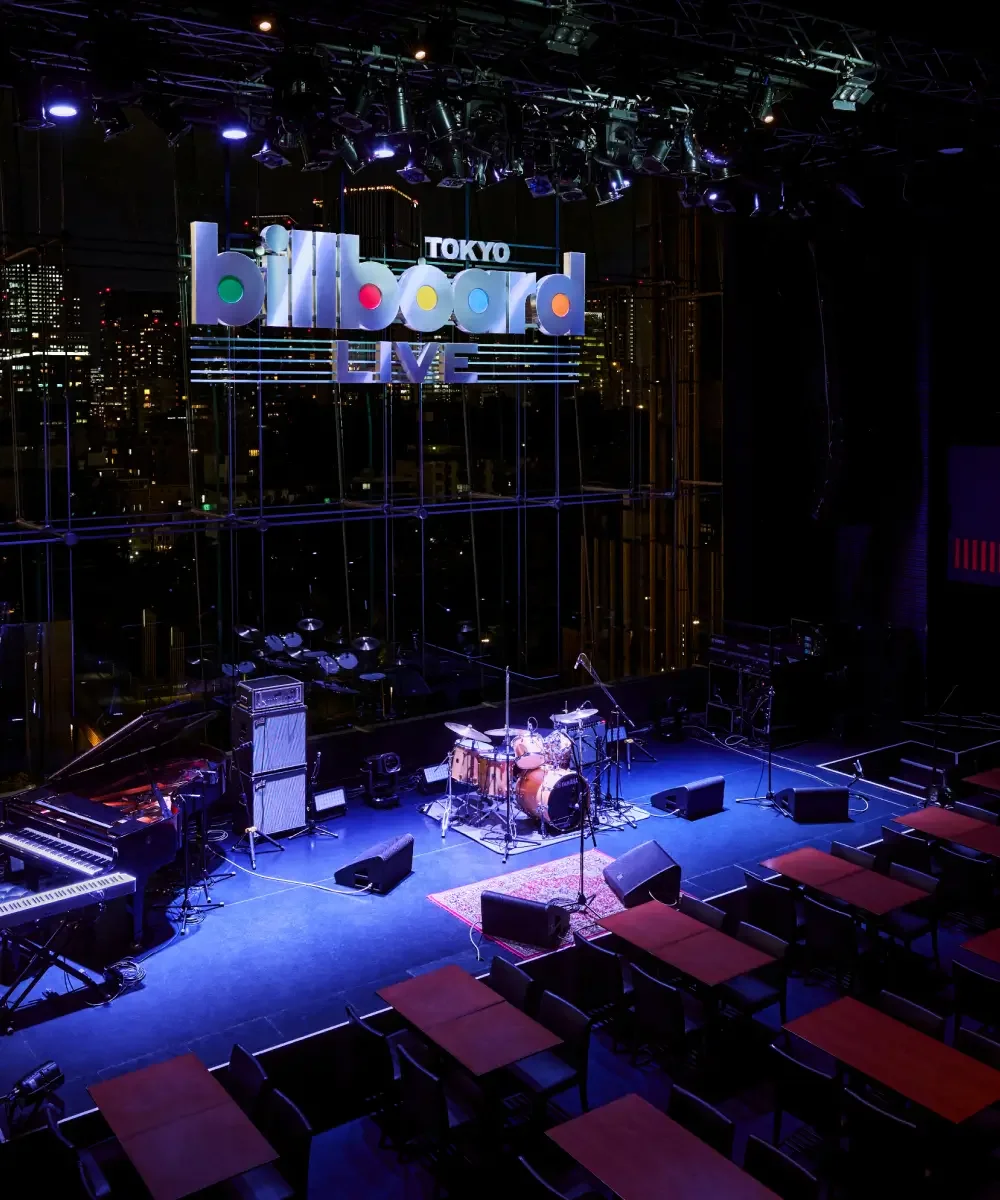
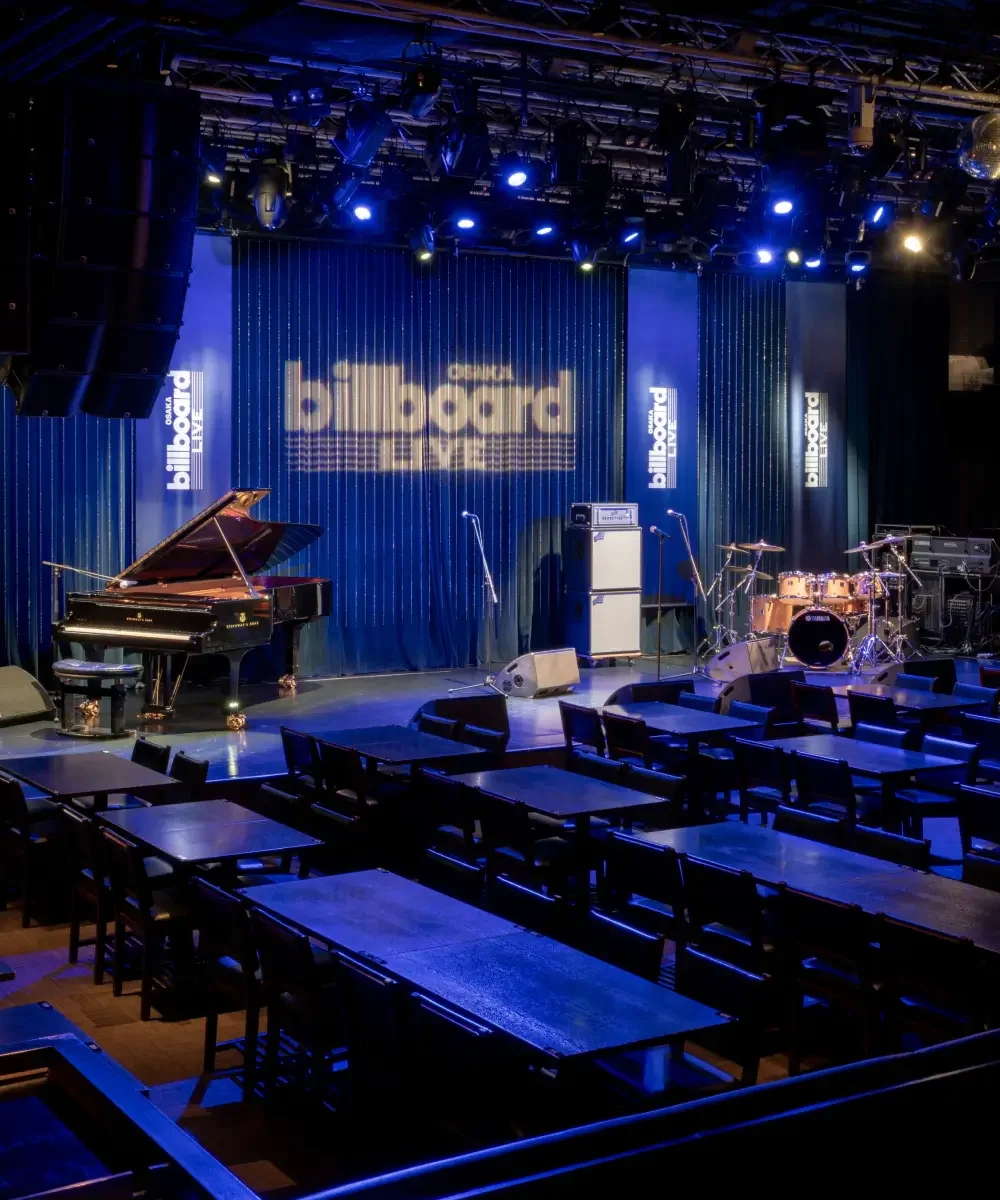
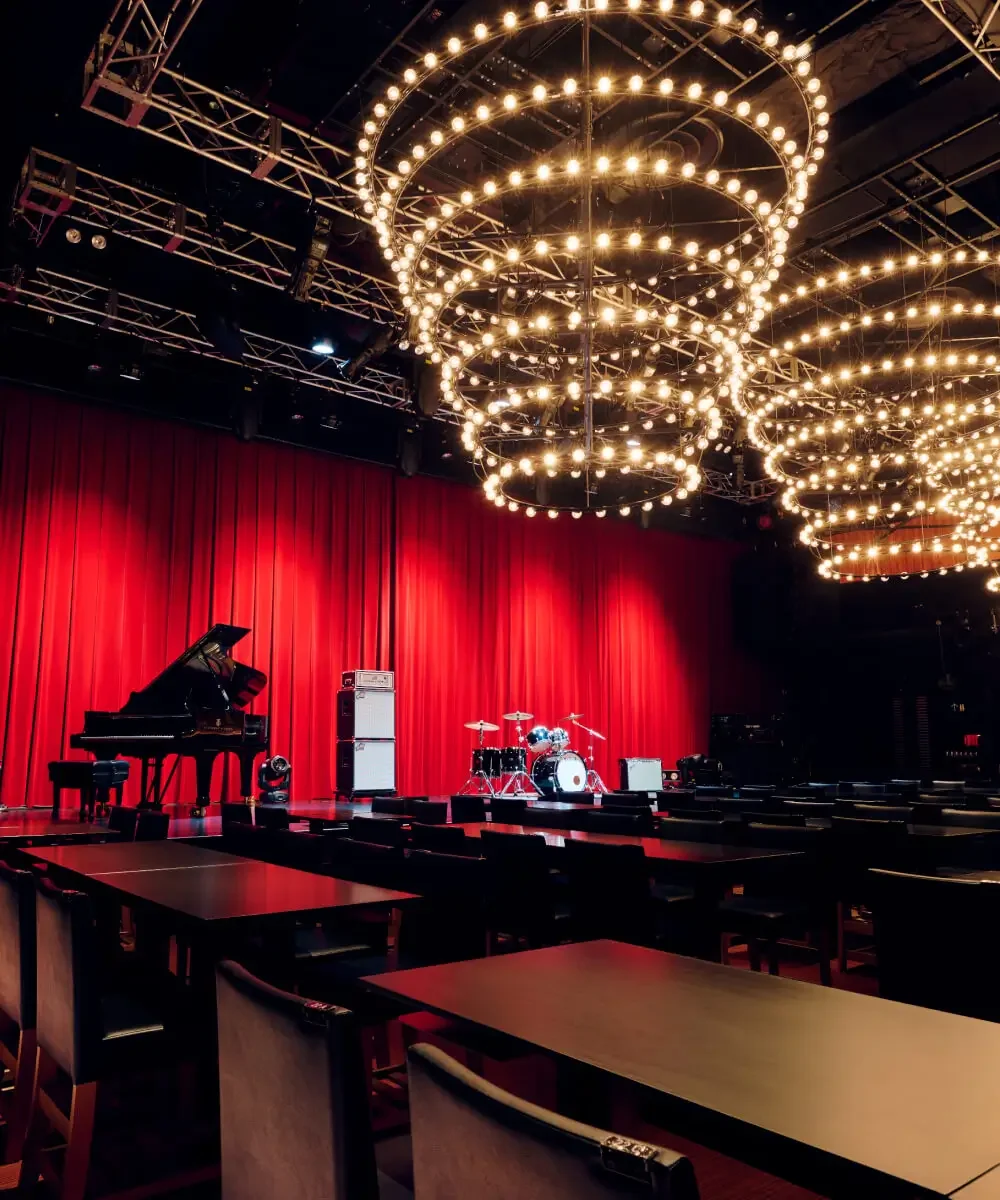
Club
Category
As we transition to HH cross ID, will the handling of personal information change?
We will handle it properly in accordance with the Hankyu Hanshin Group Common ID Personal Information Handling.
We have had two customer numbers so far. How should we proceed with the migration?
Each person will have a single HH cross ID.
Only one customer number can be migrated to HH cross ID, and you cannot migrate multiple customer numbers into a single HH cross ID.
I forgot my customer number and password during the migration process.
On the “Migration Start” screen, please use the “Forgot your customer number?” and “Forgot your password?” links to proceed.
During the migration process, a message appeared saying, “This customer number is already registered.”
For that customer number, you have already completed the HH cross ID procedure.
Please log in again using the migrated HH cross ID and password.
Errors occur during the migration to HH cross ID and at login.
It may be resolved by changing the browser you are using or by clearing your cache.
In addition, you can check our recommended environment from here.
I have been a Club BBL member or guest member since before July 2024, and although I completed the migration to HH cross ID, I cannot log in.
When you enter your HH cross ID and password and perform the login operation,
(1) For those who are already guest members or Club BBL members
(2) For those who are using Billboard Live for the first time
If this screen is displayed, the migration process to HH cross ID has not been completed.
We apologize for the inconvenience, but please select (1) ‘Already a guest member or Club BBL member’, re-enter your ‘Customer number’ and the ‘password used before June 2024’, and proceed until the migration is complete.
When the migration to HH cross ID is complete, the migration procedures to the new Billboard Live system for Club BBL members have been completed
An email will be sent, so please check it as well.
I am currently a Club BBL member, but when migrating to HH Cross ID I accidentally registered as a new member (duplicate enrollment).
Due to the system renewal implemented in July 2024, there have been cases where, during the migration process to HH cross ID, users have inadvertently become new Club BBL members.
Information on canceling the annual membership fee and on the re-migration procedures, and for customers who have already completed the procedures and wish to verify their status, we will address them in order, so please contact the telephone inquiry center below.
Billboard Live Tokyo: 03-3405-1133
Billboard Live Yokohama: 0570-05-6565
Billboard Live Osaka: 06-6342-7722
[Weekdays]12:00–17:00
[Performance days]12:00–the start of the 2nd stage
[Closed days]Saturdays, Sundays, and holidays (On performance days, we operate until the start of the 2nd stage as above)
※Please check the schedule for performance dates at each store.
Club BBL Member Office: 03-3479-4141
[Weekdays]12:00–17:00[Closed days]Saturdays, Sundays, and holidays
I have been a Club BBL member (or guest member) since before July 2024, but due to the system change, how should I migrate?
During the migration procedure,
1. Your ‘Customer Number’ and ‘Password’ for Club BBL members / guest members who have been using the service since before July 2024
2. New HH cross ID registration (If you already have HH cross ID or a Takarazuka Revue Common ID, use your ‘email address’ and ‘password’)
3. New registration of a credit card for annual membership fee payments (for Club BBL members)
is required.
<Migration procedure guide>
Note: If you complete the procedure partway, you may have to start over from the beginning, so please be careful.
1. From the top ‘Login’ menu, select ‘Account Migration Procedure’.
2. Please enter your ‘Customer Number’ and the ‘password you were using’ before June 2024.
3. Please register a new login ID.
・If you do not have an HH cross ID, please proceed from ‘Acquire HH cross ID’.
・If you already have one, log in with ‘Log in with your existing ID’ using your existing HH cross ID.
4. Please register a credit card for annual fee withdrawal. (For Club BBL members)
・Please agree to the HH cross PAY terms and register a credit card for annual fee payments.
This is for the next year’s annual fee withdrawal and no immediate charge will occur.
Note: If you are on the ‘Payment’ screen, it may be a new registration; if you proceed as is, the annual fee will be charged, so please be careful.
5. When the ‘ID Migration Complete’ screen appears, the process is complete, so please proceed to your My Page.
When the migration to HH cross ID is completed,
・Club BBL members: Billboard Live
・Guest members: Billboard Live
Please also check these emails.
6. From now on, please log in with HH cross ID.
During the migration, will the customer number be changed? And will the customer number continue to be used from now on?
Club BBL members and guest members: your customer number will not be changed during the transition.
If, after the migration is completed, your customer number has changed, it may indicate that you registered as a new account, so please contact the appropriate call centers.
Also, for guest members, entering your customer number is required when canceling your membership.
What is member migration?
Billboard Live’s ticket-purchasing system has changed as of July 2024.
In line with this, the login method will change from ‘Customer Number’ to ‘HH cross ID’, so customers who have been using the service prior to June 2024 are asked to complete the migration procedure.
If you are a Club BBL member, will the changed credit card apply to both ticket purchases and annual membership fee payments?
Unfortunately, the credit card management for the “Ticket Payment Method” and for the “Annual Fee Payment Method” is handled separately, so please update each one accordingly.
How do I register or change a credit card for HH cross PAY?
● If you are a Club BBL member
Those who joined Club BBL before July 2024 will be registered during the migration process to HH cross ID.
Those who newly joined Club BBL after July 2024 will be registered at the time of enrollment, as the initial fee and annual membership fee will be charged at the time of joining.
Those who have already completed the migration or those who join as guest members, please log in and proceed from ‘Change Credit Card Information’ in My Page.
What is HH cross PAY?
By registering a credit card to your HH cross ID (Takarazuka Revue common ID), you can conveniently pay without having to enter payment information each time on various apps and web services that support HH cross ID.
We use this payment service for ticket purchases, dining plan purchases, and the annual fee payments for Club BBL.
For more details, please refer to the HH cross PAY page.
Cannot register HH cross ID.
It is possible that you already have an HH cross ID registered with the email address you have on file (for example, if you are using services other than Billboard Live).
For more details, please refer to HH cross’s Help page.
Regarding the HH cross ID, are there any other uses for it within Billboard Live’s services?
Wi-Fi service is available in addition to our ticketing service. You can use HH cross Wi-Fi service at Billboard Live Tokyo, Yokohama, and Osaka. A separate app download is required.
Can I use the Takarazuka Revue Common ID?
The Takarazuka Revue Common ID is also one of the Hankyu Hanshin Group Common IDs, and because it has the same functionality as the HH cross ID, you can also use it for the Billboard Live ticket purchasing system.
Please note that you cannot have both the Takarazuka Revue Common ID and the HH cross ID under a single email address.
What is HH cross ID?
This is an ID that enables you to access a variety of services provided by the Hankyu Hanshin Holdings Group.
For details, please refer to the HH cross web page.
I left Club BBL, but can I rejoin?
As this is a new membership, an initial processing fee and the annual membership fee will be charged.
● If you have a guest member account
Log in, and from My Page’s “Club BBL Member Enrollment Open”, you can perform the procedure to switch from a Guest Member to a Club BBL Member.
● If you do not have a guest member account and only HH cross ID
From the top page, go to “Login” and proceed from “New Registration”.
At that time, please proceed with your HH cross ID by selecting “Log in with the ID you have”, and for those using Billboard Live for the first time, complete the procedure from “Register as Club BBL Member for the first time”.
● If you do not have either a Guest Member account or an HH cross ID
From the top page, go to “Login” and proceed from “New Registration”.
I would like to receive the email newsletter, but I haven’t received it.
Please log in and, in My Page, confirm your email address from “Change Member Information,” and confirm whether the newsletter subscription checkbox is checked from “Other Information Changes.”
Emails may not be delivered if they are identified as spam or if the mailbox is full.
Please also check your device settings, etc.
I’m on the information magazine plan, but the free paper hasn’t arrived.
There may be an error with your registered address.
Please log in and check the ‘Change Registered Information’ section in My Page.
Annual fee charged even though I don’t recall renewing.
Club BBL membership is automatically renewed, so it will renew automatically unless you complete the cancellation procedure.
If you wish to cancel, please submit your cancellation request from My Page at least two months before your contract’s renewal month.
I want to cancel my guest membership.
Log in and complete the procedure via ‘About withdrawal’ in My Page.
Please note that you cannot proceed while you have any purchased applications remaining.
I want to cancel my Club BBL membership.
If you wish to cancel your membership, you must complete the procedure at least two months before the joining month (the contract renewal month), in accordance with the Terms of Use.
Please log in and proceed from the ‘Cancellation’ section in My Page.
Note: After the withdrawal request has been completed, the Club BBL Secretariat (clubbbl@billboard-live.com) will send a confirmation email with the subject: 【〈Club BBL Member〉Withdrawal Request Has Been Completed】(Automatic). If you do not receive an email, please note that the withdrawal procedure has not been completed.
After your Club BBL membership period expires, you will switch to the free ‘Guest Member’.
You can continue to use Billboard Live’s services.
The annual fee was not charged, and your membership status is now ‘Guest Member’.
● If you would like to continue your Club BBL membership
We will switch you from a Guest Member to a Club BBL Member, so please log in and proceed from ‘Club BBL Membership Enrollment Open’ in My Page.
Please note that, to complete the procedure, you must register a credit card with HH cross PAY for annual membership fee payments.
Note: For one year from your previous renewal month, you will be charged only the selected annual fee.
● If you do not wish to continue Club BBL membership
Your Club BBL membership will expire at the end of the previous renewal month.
You can continue to use Billboard Live’s various services (such as ticket purchases) as a Guest Member.
Change Your Registered Address, Phone Number, and Email Address
Please log in and proceed from ‘Change Registered Information’ in My Page.
I want to change the registered credit card.
Please log in and proceed to ‘Change Credit Card Information’ in My Page.
Note: For those registered as Club BBL members, you can change the credit card information used for ‘Ticket Payment’ or ‘Annual Fee Payment’.
I want to change my surname.
Please log in and proceed to “Change registered information” in My Page to complete the procedure.
I want to change my membership plan type. (Web plan → Information Magazine plan / Information Magazine plan → Web plan)
Please log in and proceed to ‘Change Membership Type’ in My Page.
Starting with the next renewal month, the new membership type will take effect, and the annual fee will be charged at the updated amount.
Can a receipt for the annual membership fee be issued?
Yes, it can be issued.
Log in, and in My Page, under ‘Purchase History / Annual Fee Payment History’, go to ‘Details’. From the bottom-right, click ‘Show Receipt’ to download and print the PDF.
As part of the system migration, how will Club BBL members’ annual fees be charged?
● For those who have not yet completed the transition to HH cross ID
The annual fee will be charged to the credit card you registered before the migration.
● For those who have completed the transition to HH cross ID
For those who have completed the transition, the annual fee will be charged to the credit card registered with HH cross PAY at the time of migration.
※ Even after the HH cross ID migration is complete, there are cases where the update remains incomplete because the credit card used for annual fee payments is not registered or not configured.
Please log in and confirm in advance by going to ‘Change Credit Card Information’ > ‘Manage Annual Fee Payment Method’.
Will you definitely be able to buy tickets if you become a Club BBL member?
Seats are limited, so we cannot guarantee ticket availability. Thank you for your understanding.
Is it possible to purchase tickets immediately after registering as a Club BBL member?
Yes, that’s possible.
From the time the initial setup fee and the annual membership fee payment are completed, you will be able to receive Club BBL member benefits, so you will be able to apply for priority reservations.
Also, an email stating ‘Billboard Live】Club BBL member registration has been completed’ will be sent, so please check it.
What benefits do you receive if you become a Club BBL member?
We have prepared the following benefits.
You can reserve from the Club BBL member reservation date set by our company, before the general reservation start date. (Reservations will be closed once the cumulative number of reservations reaches the limit set for each performance.)
One drink designated by us will be provided free of charge. (If you have reserved the Casual Area, this benefit does not apply.) This benefit cannot be combined with other discounts or applied to companions who are not Club BBL members.
Information exclusive to Club BBL members and the latest information will be provided via the information magazine “Billboard Live News” (information magazine plan only), the website, and newsletters, etc.
We will periodically inform you of exclusive special programs and privileges for Club BBL members.
For Club BBL members only, cancellation fees will be charged at the rates below.
● Up to 30 days before the performance: 5%
● Up to 7 days before the performance: 10%
● Up to 2 days before the performance: 30%
● Up to 1 day before the performance: 50%
● Up to 3 hours before the start time of the performance: 80%
Can I join without a credit card?
Unfortunately, payments for the initial fee and annual membership fee for Club BBL members can only be made by credit card.
Please note that we do not offer any other payment options.
I want to upgrade from a guest member to a Club BBL member.
Please log in and use the “Club BBL Membership Enrollment Open” option in My Page to make changes.
Please tell me how to become a Club BBL member.
If you are joining our membership program for the first time, please proceed by selecting ‘New Registration’ from ‘Login’ at the top right of the homepage.
『HH cross IDの取得』ののち、『Club BBL会員の入会』をいただきご登録が完了となります。
※ Obtaining an HH cross ID is required to register.
※ On the membership type selection page, you can join by selecting ‘Club BBL Member’. Please choose your desired membership type from either ‘Web Plan’ or ‘Magazine Plan’.
※ The free guest membership does not include benefits such as advance reservations.
※ The initial setup fee and annual membership fee can be paid only by credit card.
※ Because all procedures are online, we do not accept sign-ups by paper or by phone.
Can I enter the venue on the day without purchasing a ticket?
From the time the doors open on the day, if seats are available, purchases will be accepted at the ticket counter.
Online purchases are available up to one hour before the start of each stage on the day of the performance, so please check the remaining seat availability on the website.
Is there parking?
In addition to the KITANAKA BRICK&WHITE parking lot, please use nearby coin parking.
Note: The KITANAKA BRICK&WHITE parking lot discount service is not applicable.
Is there parking?
Please use the Herbis PLAZA ENT parking lot or other nearby coin parking facilities.
Note: The discount service for the Herbis PLAZA ENT parking lot is not applicable.
Is there parking?
Please use the Tokyo Midtown parking lot as well as nearby coin-operated parking lots.
Note: Discounts for the Tokyo Midtown parking lot are not eligible.
Do you have any non-smoking seats?
All seats are non-smoking.
Is there a cloakroom?
We have them available near the entrances of each store.
However, please keep your valuables with you.
How long is the performance?
One show is scheduled to last approximately 60–90 minutes.
Could you hand over any presents or care packages?
There may be times when you cannot receive it, depending on the performance. Please check the details page for each performance in advance.
On the day of the performance, please ask the staff at the venue.
Sending Stand Flowers and Backstage Flowers.
Store pickup is available, but depending on the performance, there may be cases where pickup is not possible. Please check the details page for each performance in advance.
< Delivery address >
〒231-0003
Kanagawa Prefecture, Yokohama City, Naka Ward Kita-Nakadori 5-chome 57-2
KITANAKA BRICK&WHITE 1F
Attn: Billboard Live Yokohama
Note: For removal, please arrange it for the day after the performance.
I want to send stand flowers and backstage flowers.
< Delivery Address >
〒530-0001
Osaka-fu Osaka-shi Kita-ku Umeda 2-2-22 Herbis Ent B2F
Billboard Live Osaka Attn.
Note: Please arrange removal on the day after the performance.
I want to send stand flowers and backstage flowers.
In-store pickup is available, but depending on the performance, pickup may not be possible. Please check the details page for each performance in advance.
< Delivery Address >
〒107-0052
4F Tokyo Midtown Garden Terrace, 9-7-4 Akasaka, Minato-ku, Tokyo
Billboard Live Tokyo
Note: Please arrange for removal on the day after the performance.
Is there an autograph session?
We do not provide advance notice of the implementation.
Please inquire in-store on the day.
Is it possible to add or cancel a meal plan?
Yes, it is possible.
Log in, go to your My Page’s ‘Purchase History’, select the relevant performance’s ‘Details ✐ Mark’, and you can add or cancel yourself from ‘Purchasing Food and Beverages, Cancellations’.
If you cancel only the food and beverage plan within the application deadline set for each plan, there is no cancellation fee.
If the application deadline has passed, cancellations are not possible, and the cancellation fee will be 100%. Please note.
Can more people be added?
Unfortunately, we cannot add more people to an order that has already been purchased.
Please create a new account under the name of the person who will be seated, and purchase again.
Is it possible to reduce the number of people?
Yes, it’s possible.
Log in, go to My Page, and from the Purchase History select the Details for the relevant performance, and proceed from “Decrease in the number of reserved seats.”
The seats to be canceled will be automatically selected.
When you perform a cancellation due to a decrease in the number of attendees, a fee corresponding to the number of seats canceled will be charged, and a new credit card payment will be processed for the updated reservation; the amount you initially paid will be refunded.
Can I cancel after purchasing a ticket?
Yes, it is possible.
Log in, go to My Page, select the relevant performance’s ‘Details’ from ‘Purchase History’, and proceed from ‘Cancel Reservation’.
Please note that if you cancel after purchasing tickets, a cancellation fee will be charged.
Note: Please check the cancellation fee list here.
The cancellation fee will be charged, and the amount paid will be refunded. It will take about 2 to 3 months for the refund to be issued. For details, please check your credit card statement. Also, please note that canceled seats cannot be reinstated.
Can a receipt be issued for the dining expenses paid on the day of the performance?
Yes, it’s possible.
After you settle the bill, please ask the staff in the store to issue a receipt for your dining charges.
Is it possible to issue a receipt for tickets purchased online?
Yes, it’s possible.
Please go to the details of the relevant performance from the ‘Reservation History’ on your My Page after you log in.
From the bottom-right ‘Show Receipt’, you can download and print the receipt data for the performance fee and the dining plan.
※ Receipts for the performance fee and the dining plan cannot be combined.
When should I pay for the meals?
< Customers using the Service Area >
● When paying at the register
Please pay when you leave.
Cash, credit cards, and various electronic payments are accepted.
● When paying at your seat
You can use the “Smart Payment” via the QR code at your seat.
Credit cards only.
< Customers using the Casual Area >
Please pay when you order at the bar counter.
What do I need to bring to check in at the reception on the day of the performance?
Please log in from the homepage using your smartphone or similar device, and select the event for the day of the performance from ‘Purchase History’.
A QR code is displayed at the bottom of the screen, so please have it ready to display when you check in at the counter.
Customers who purchased tickets through PlayGuide should also ensure that their tickets are issued as either paper tickets or electronic tickets, and present them at the counter.
We may perform identity verification, so please bring a form of identification.
※Some performances may require presenting a designated form of ID. Please check the notes for each performance.
Unable to log in to My Page
Your login ID is the email address you registered with.
If you forget your password, go to the HH cross ID login page, click “Forgot your password?” and reset your password.
I don’t have a credit card, but can I purchase tickets?
Unfortunately, credit card payment is required for ticket purchases on this website.
If you do not have a credit card, please use the various ticketing outlets.
Where is the nearest station?
● Yokohama Rapid Railway Minatomirai Line
From Bashamichi Station Exit 2a, a 5-minute walk
● JR Negishi Line
● Keihin-Tohoku Line
● Yokohama Municipal Subway Blue Line
From Sakuragicho Station East Exit, a 10-minute walk
Where is the nearest station?
● Hanshin Electric Railway
From the West Gate of Osaka-Umeda Station, a 3-minute walk
● JR
From Osaka Station’s Sakurabashi Exit or West Exit, a 5-minute walk
● JR Tozai Line
From Kitashinchi Station’s West Gate, a 6-minute walk
● Hankyu Railway
From Osaka-Umeda Station’s 3rd-floor ticket gate, a 15-minute walk
● Osaka Metro
From Nishi-Umeda Station on the Yotsubashi Line, the North Gate, a 2-minute walk
From Umeda Station on the Midosuji Line, the South Gate, a 7-minute walk
From Higashi-Umeda Station on the Tanimachi Line, the North Gate, a 10-minute walk
Where is the nearest station?
● Toei Oedo Line
Directly connected to Roppongi Station (Exit 8); about a 5-minute walk
● Tokyo Metro Hibiya Line
Directly connected to Roppongi Station via an underground concourse; about a 5-minute walk
● Tokyo Metro Chiyoda Line
Nogizaka Station Exit 3; about a 15-minute walk
● Tokyo Metro Namboku Line
Roppongi-Itchome Station Exit 1; about a 15-minute walk
Is it possible to pay by credit card on the day of the performance?
Yes, it is available.
You can use it to pay for the dining charges incurred on the day, and at the in-store shop.
<クレジットカード>
VISA・JCB・三菱UFJニコス(MUFG/DC/UFJ/NICOS)・MasterCard・銀聯・AMERICAN EXPRESS・DISCOVER・DINERS
<電子マネー>
交通系IC、ID、QUICPay
<QRコード決済>
WeChat Pay・銀聯・JKOPAY・Alipay+・PayPay・d払い・メルペイ・au PAY・J-Coin Pay・楽天ペイ
※カジュアルエリアをご利用のお客様は、追加のご飲食代金は店内(バーカウンター)にてお支払いください。
Is a credit card accepted for payment on the day of the performance?
Yes, you can use it.
You can use it to pay for the meals and drinks you had on the day, and you can use it at the in-store shop.
<Credit Cards>
JCB, VISA, MasterCard, DC, AMERICAN EXPRESS, DINERS, UC, MUFG
<Electronic Money>
PiTaPa, ID, Transit IC cards (Kitaca / Suica / PASMO / TOICA / Manaca / ICOCA / SUGOCA / nimoca / Hayakaken)
<QR Code Payments>
WeChat Pay, UnionPay, Alipay+, PayPay, d-Barai, Merpay, au PAY, J-Coin Pay, Rakuten Pay
Note: Guests using the Casual Area, please pay any additional food and beverage charges at the in-store bar counter.
Can I use a credit card to pay on the day of the performance?
Yes, it is available. You can use it to pay for the meals and drinks you have today, and you can also use it at the on-site shop.
<Credit Cards>
JCB, DISCOVER, UC, AMERICAN EXPRESS, DINERS, VISA, SAISON, MasterCard, DC, MUFG, UFJ, NICOS, ORICO, OMC, UnionPay
<Electronic Money>
Suica, Pasmo, Rakuten Edy, ID, QUICPay
<QR Code Payments>
Rakuten Pay, d Pay, PayPay, au Pay, Mercari Pay, WeChat Pay (Weixin Pay), Alipay
Note: For customers using the Casual Area, please pay any additional dining charges at the bar counter inside the store.
Are there any age restrictions?
Yes, we do.
Children under elementary school age are not allowed to enter.
For customers aged elementary school level or older but under 16, an adult must accompany them. Customers aged elementary school level or older are charged the regular admission fee. In accordance with local ordinances on youth nighttime outings, we may deny entry to some Second Stage performances for customers under 18 if the end time is expected to be past 11:00 PM.
Migration procedures for HH cross ID
Is it possible to enter the store in a wheelchair?
Yes, it is possible.
Please contact the telephone inquiry center after you have completed purchasing your ticket.
・We will guide you to a wheelchair-accessible viewing area, so your seat location may differ from the seat you obtained.
・Space is limited, so we may not be able to accommodate in some cases.
If you do not contact us, we will not be able to provide admission guidance. Please understand in advance.
Billboard Live Yokohama Telephone Inquiry Center: 0570-05-6565 (calls are via Navi Dial)
[Weekdays] 12:00–17:00
[Performance days] 12:00–2nd stage start
※For performance dates, please check each venue’s schedule.
[Closed days] Saturdays, Sundays, and holidays (on performance days we are open until the start of the 2nd stage as above)
Is it possible to enter the store in a wheelchair?
Yes, it’s possible.
Please contact the telephone inquiry center after completing your ticket purchase.
・Because you will be guided to a wheelchair-accessible viewing space, your seat location may change from the seat you purchased.
・Space is limited, so we may not be able to accommodate your request.
If you do not contact us, we will be unable to provide admission guidance. Please understand in advance.
Billboard Live Osaka Telephone Inquiry Center: 06-6342-7722
[Weekdays]12:00–17:00
[Performance Days]12:00–the start of the 2nd stage
※For performance dates, please check the schedule at each venue.
[Closed Days] Saturdays, Sundays, and holidays (on performance days, as above, we are open until the start of the 2nd stage)
What is the difference between the service area and the casual area?
DX Seat DUO, DX Seat Counter, S-designated seats, and R-designated seats are available.
As with a regular restaurant, service staff will take your order at your table and serve you meals and drinks.
Casual Center Seats and Casual Side Seats are available.
This is a self-service area where guests exchange drink tickets themselves and place orders for drinks and light snacks at the bar counter.
What is the difference between a service area and a casual area?
We offer box seats, S-designated seats, and R-designated seats.
As in a regular restaurant, our service staff will take your order at your table and provide you with food and beverages.
This is a self-service area where customers exchange drink tickets and place orders for drinks and light snacks at the bar counter.
Is it possible to enter the store in a wheelchair?
Yes, it’s possible.
Please contact the Telephone Inquiry Center after you have completed purchasing your tickets.
・You will be guided to the wheelchair-accessible viewing space, so your seat assignment will differ from the seat you originally obtained.
・The space is limited, so we may not be able to accommodate all requests.
If you do not contact us, we cannot provide admission guidance. Please understand in advance.
Billboard Live Tokyo Telephone Inquiry Center: 03-3405-1133
[Weekdays] 12:00–17:00
[On performance days] 12:00–the start of the Second Stage
*Please check the schedule for the dates of performances at each venue.
[Closed days] Saturdays, Sundays, and public holidays (on performance days, we are open until the start of the Second Stage as above)
What is the difference between service areas and casual areas?
DX Seat DUO, DX Seat Counter, DUO Seat, S Reserved Seat, and R Reserved Seat are available.
As in a regular restaurant, our service staff will take your orders at your table and provide meals and drinks.
This is a self-service area where customers exchange drink tickets themselves and place orders for drinks and light snacks at the bar counter.